
 Custom Websites
 Custom Logo Design
 Video Animation
 Expert SEO Services
 WP Support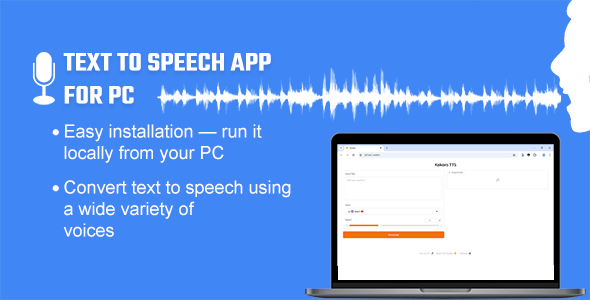
Text to Speech App for PC – Offline/Online
$13.00
Text to Speech App for PC – Offline/Online TTS
This Text to Speech App for PC is an open-weight, high-performance text-to-speech model designed to convert text into natural-sounding audio quickly.This one-click installable Python toolkit is specifically built for Windows users, offering an intuitive way to generate text-to-speech output. Simply install the Text-to-Speech app and run the application. You can enter your text, select a voice, and your input will be converted into audio. You can then download the audio and use it for your project.
Key Features:
– The offline models (Kokoro & Piper) run locally on your PC and offer around 60+ voices: Kokoro provides US (20), GB ( 8 ), FR (1), and IT (2), while Piper provides US (20), GB (7), AR (1), FR (3), and DE (3).
– The online model (Edge) works with an internet connection and offers 300+ voices from various languages. Click here for the tentative list.
Sample Audio Voices:
1. Adam’s Voice
4. Heart Sound
5. Spanish
6. French
7. German
8. Italian
*There are currently about 60+ voices (offline) & More than 300+ (online) to choose from.
Frequently Asked Questions
Q. What is Text to Speech App for PC – Offline/Online TTS?
-
Text to Speech App for PC is a lightweight text-to-speech (TTS) application for Windows that converts text into natural, expressive speech with a one-click installation.
Q. Does it support multiple languages?
-
Kokoro primarily supports English, with one French and two Italian voices. Piper offers English, French, German, and Arabic. Edge, on the other hand, supports multiple languages. You can check the list of languages supported by Edge
(here).
Q. Do I need to install anything to this App?
-
Yes, this TTS App is a Python-based toolkit—you only need to download and install it on your PC.
Q. Is an internet connection required to use the App?
-
Kokoro and Piper runs offline. It may require an internet connection the first time to download the necessary models, but after that, it works locally without internet access.
-
Edge, on the other hand, requires a continuous internet connection to function.
Q. Do I need to use any third-party API or purchase additional API keys?
-
No, you do not need to purchase any API keys. The software is built on top of the Kokoro, Piper and Edge TTS engines and integrates them with a custom interface using Gradio for ease of use. However, with a single setting, you can use Edge to create up to ten minutes of voice output (and continue generating in 10-minute batches), while Kokoro and Piper does not have such limitations.
Q. Do I get the source code when I buy this software?
-
Yes, the source code for the setup is included with your purchase. You will receive a setup (.exe) file that extracts all the necessary files to your desired drive.
Q. What platforms does this app support, and what format is the output audio saved in?
-
Currently, TTS is designed specifically for Windows users. The app typically saves audio files in .wav & .mp3 format.
Q. How many computers can I use with one license?
-
One license allows you to use the software on one computer. Please check the
licensing terms on CodeCanyon for more details.
Changelog
VERSION 1.1 ::
Added 30+ new voices: EN, DE, FR, AR.
Easy Installable file
VERSION 1.0.1 ::
Edge TTS Integration: Now Supports Many Languages
Easy Installable file
VERSION 1.0.0 WAS RELEASED ::
Initial release
Support Facilities
If you have any questions about this item, feel free to email us before making a purchase. You can send your product-related queries, installation requests, customization projects, or any other inquiries to: info@heyletslearnsomething.com
| Application Runtime | Native |
|---|---|
| Demo Url | |
| High Resolution | |
| Operating System Versions | Windows 11, Windows 10, Windows 8 Desktop |
| Video Preview Resolution |
Only logged in customers who have purchased this product may leave a review.


Reviews
There are no reviews yet.